





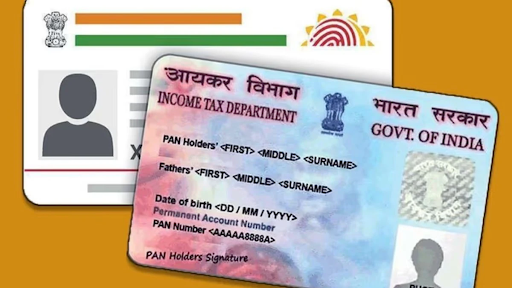
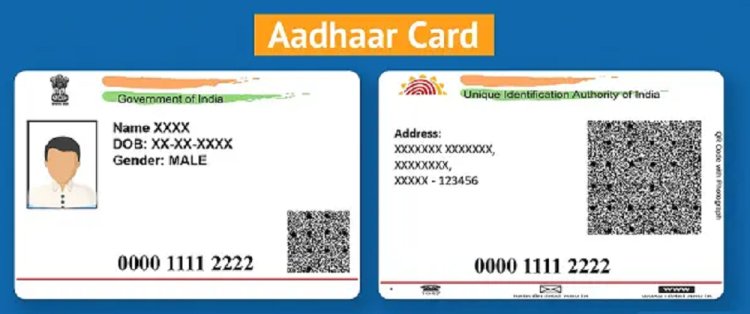
The Aadhar card is a pivotal document in India that serves as proof of identity and address. With its increasing significance in various government and private sector transactions, ensuring the authenticity of the Aadhar card is crucial. A common query arises from users: how to verify the signature in an Aadhar card downloaded from the portal? This guide aims to provide detailed steps on verifying the signature and ensuring your Aadhar card’s authenticity.
Understanding Aadhar Card Signature
Before diving into the verification process, it’s important to understand what the signature on the Aadhar card represents. The signature is a digital signature generated during the time of Aadhar issuance and is stored in an encrypted format. This digital signature guarantees the integrity of the data on the card, making it an essential aspect for verification purposes.
Online Aadhar Card Download Process
When you download your Aadhar card from the official UIDAI portal (Unique Identification Authority of India), it often comes in PDF format, protected by a password. This PDF contains essential details like your name, date of birth, address, and the digital signature. Here are the steps to download your Aadhar card:
- Visit the UIDAI Website: Go to the UIDAI official website.
- Select Download Aadhaar: Click on the ‘Download Aadhaar’ option.
- Enter the Required Details: Fill in your 12-digit Aadhar number, enrollment number, or VID (Virtual ID) along with the security code.
- Verify Your Mobile Number: If you have selected the Aadhar number option, a one-time password (OTP) will be sent to the registered mobile number. Enter this OTP to proceed.
- Download the Aadhar PDF: After verification, you will be able to download the PDF. The password to open this PDF is the first four letters of your name (in uppercase) followed by your birth year.
Once you have downloaded and opened your Aadhar card, the next step is verifying the signature.
How to Verify Signature in Aadhar Card
Step 1: Open the Aadhar PDF
Using the password you generated during the download process, open the downloaded Aadhar PDF file.
Step 2: Locate the Digital Signature
Scroll down to the bottom of the PDF, where you will find the digital signature. This section typically contains a link to verify the signature, along with the signature itself, which looks similar to the following:
Signature of
[Your Name]
Step 3: Download the UIDAI Signature Verification Tool
To verify the authenticity of the digital signature, you can use a verification tool provided by UIDAI. Here’s how to access it:
- Visit the UIDAI Signature Validator page.
- Download the signature validation tool available on this page.
Step 4: Validate the Signature
- Open the Signature Verification Tool: Launch the validation tool you downloaded.
- Select the Aadhar PDF: Upload the Aadhar PDF file you downloaded earlier.
- Run the Verification: Click on the ‘Verify’ button. The tool will process the file and check the validity of the digital signature.
- Check the Results: If the signature is valid, you will receive a confirmation message indicating that the signature is genuine. If it fails, there may be an issue with your Aadhar card.
Troubleshooting Common Issues
If you encounter issues during the verification process, consider the following:
- Expired Aadhar: Ensure your Aadhar hasn’t expired. While Aadhar cards do not have a validity period, discrepancies may arise if your details have changed.
- Incorrect Password: The PDF password must be entered correctly. Double-check the format – it should be the first four letters of your name in uppercase followed by your birth year.
- Signature Tool Errors: Make sure you are using the correct and updated version of the UIDAI signature verification tool.
Importance of Verifying Your Aadhar Card
Verifying your Aadhar card ensures that the details are accurate and that it has not been tampered with. It is vital when using your Aadhar for the following:
- Government Schemes: Many government benefits and services require a valid Aadhar card.
- Banking and Financial Services: Banks now require Aadhar numbers for Know Your Customer (KYC) purposes. A verified Aadhar card can facilitate smoother transactions and loan approvals.
Getting Instant Loans with Verified Aadhar
A valid Aadhar card can play a significant role if you are looking for quick financial assistance, especially in the form of instant loans. In recent years, many companies in India have launched best instant loan apps that leverage Aadhar as a part of their KYC process. These apps offer quick approvals, minimal documentation, and instant fund disbursement, making them highly convenient for users in need of immediate funds. You need to check and download the best instant loan app in India to get instant loan..
Popular Instant Loan Apps in India
- Bajaj Finserv: Offers personal loans with quick approval and attractive interest rates.
- PaySense: Allows borrowers to avail loans based on Aadhar verification, with flexible repayment options.
- CASHe: Focuses on fast loans for young professionals using Aadhar for verification.
- KreditBee: Provides quick personal loans with minimal documentation and instant disbursal through Aadhar verification.
Conclusion
The process of verifying the signature in a downloaded Aadhar card is straightforward and crucial for confirming the authenticity of this essential document. By following the steps outlined above, users can ensure their Aadhar card is legitimate and ready for various uses. Additionally, having a verified Aadhar card facilitates access to several financial services, particularly through innovative instant loan apps available in India today. Always keep your personal information secure and be vigilant about verifying your documents for peace of mind and safer transactions.