






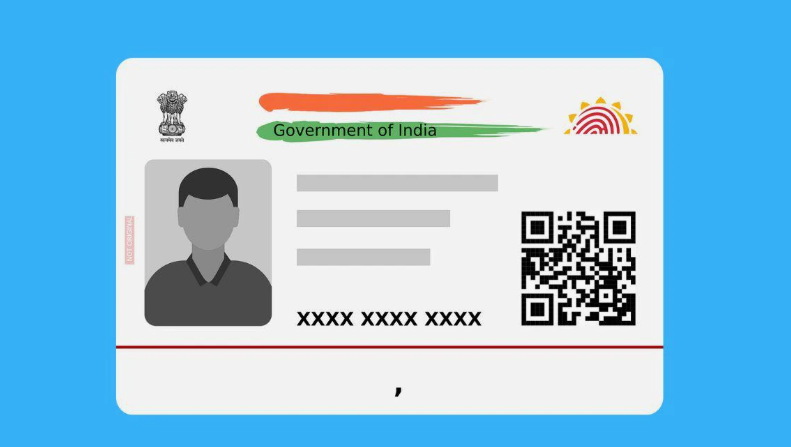
In today’s digital age, having a robust identification system is essential. Aadhaar, a 12-digit unique identification number issued by the Indian government, serves as a vital tool for residents in India. Whether it’s for accessing social welfare services, banking, or any other identification needs, keeping your Aadhaar details up-to-date is crucial. In this article, we’ll walk you through the step-by-step process of updating your Aadhaar information efficiently and effectively. Additionally, we’ll touch on the importance of this update in relation to maintaining a strong CIBIL rating through a free CIBIL rating check.
Why Keeping Your Aadhaar Updated is Important
The Aadhaar card is not just a formality; it plays a crucial role in various financial and governmental services. The following are reasons why you should keep your Aadhaar updated:
Access to Services
Many government schemes and financial services require accurate Aadhaar information.
Identity Verification
An updated Aadhaar ensures that your identity is verified correctly, minimizing hassles during transactions.
CIBIL Rating
If your details are inconsistent across various platforms, it can negatively affect your CIBIL rating. A good CIBIL rating is essential to avail loans and credit with favorable terms.
Understanding the Aadhaar Update Process
Updating your Aadhaar can be accomplished quickly through online avenues or offline visits. Here’s a clear, step-by-step guide to facilitate your Aadhaar update process.
Step 1: Determine What Needs Updating
Before heading out or logging online, identify what information you need to update on your Aadhaar card. It could be:
-
Name
-
Address
-
Date of Birth
-
Gender
-
Mobile Number
Step 2: Online Update through the UIDAI Portal
To update your Aadhaar details online, follow these steps:
Visit the UIDAI Website
Go to the official UIDAI website.
Select ‘Update Aadhaar’
Navigate to the ‘Update Aadhaar’ section and log in using your Aadhaar number or Enrollment ID.
Authenticate with OTP
You will receive an OTP on your registered mobile number. Enter this OTP to authenticate your identity.
Fill in the Required Details
Once logged in, select the field you wish to update and fill in the necessary details.
Submit Your Request
After filling in the updates, review the information carefully and click on the ‘Submit’ button.
Step 3: Offline Update Method
If you prefer to update your Aadhaar offline, you can do so by visiting an Aadhaar Enrollment Center.
Locate an Enrollment Center
Find the nearest Aadhaar Enrollment Center using the UIDAI website.
Carry Necessary Documents
Prepare documents required for the change (e.g., proof of address for address change). Valid identification will speed up the process.
Fill out the Aadhaar Update Form
Obtain the update form available at the center, fill it out accurately, and submit it along with your documents.
Get an Acknowledgment Receipt
Post submission, you will receive an acknowledgment slip. This slip will include your Update Request Number (URN), which can be used to track the status of your request.
Step 4: Tracking Your Update Request
Whether you updated online or offline, tracking your request is crucial.
Online Tracking
Visit the UIDAI website, select ‘Check Aadhaar Update Status,’ and input your URN.
Offline Tracking
You can also track your request using the same URN at your nearest Aadhaar Enrollment Center.
Step 5: Downloading Your Updated Aadhaar
Once your Aadhaar has been updated successfully, you can download the updated version by following these steps:
-
Visit the UIDAI website and log in using your Aadhaar number.
-
Select ‘Download Aadhaar,’ and follow the prompts.
Downloading the updated Aadhaar can ensure you always have the latest version handy for your needs.
Tips for a Smooth Aadhaar Update Process
Ensure Correct Information
Double-check all details before submitting.
Keep Documents Handy
Have all required documents ready to avoid delays.
Use the Official UIDAI Website
For security reasons, only use the official UIDAI portal for updates.
The Link Between Aadhaar and CIBIL Rating
Your financial health is significantly influenced by your CIBIL rating, especially when you need loans. Keeping your Aadhaar updated helps ensure that all your financial documents align correctly:
Identity Verification
A mismatch can lead to a negative impact on your CIBIL score.
Simplifying Loan Approval
A good CIBIL score eases the path to securing loans.
Checking Your CIBIL Rating for Free
Monitoring your CIBIL rating is just as crucial as updating your Aadhaar. Here’s how you can check your CIBIL rating for free:
Visit CIBIL’s Official Website
Visit CIBIL’s official website.
Sign Up for an Account
Sign up for an account and provide the necessary details.
Receive Your CIBIL Score
Receive your CIBIL score and a detailed report via email.
This free check can alert you to any discrepancies that you can address, further helping maintain or improve your financial health.
Conclusion
Updating your Aadhaar should be a straightforward process, thanks to digital advancements and user-friendly interfaces provided by the UIDAI. Whether you choose the online route or prefer going to an Aadhaar Enrollment Center, following the steps outlined above can save you time and effort. Additionally, keeping your Aadhaar updated safeguards your access to crucial services and ensures that your CIBIL rating remains intact.
Regularly checking your CIBIL rating along with updating your Aadhaar can lead to financial benefits down the line, establishing a secure and reliable financial identity. Always prioritize your financial health and personal identification details to enjoy a seamless experience in today’s fast-paced world.