




Introduction
NEFT or National Electronic Funds Transfer is one of the most trusted and widely used payment systems in India for transferring funds. With Bajaj Pay, a BBPS-enabled platform available on the Bajaj Finserv App and website, users can make NEFT transactions quickly and securely for a wide range of payments, be it rent, vendor bills, or utility dues. Best of all, Bajaj Pay offers zero fees, zero convenience charges, ensuring an economical and convenient experience for all users.
What is NEFT and how does Bajaj Pay make it easier?
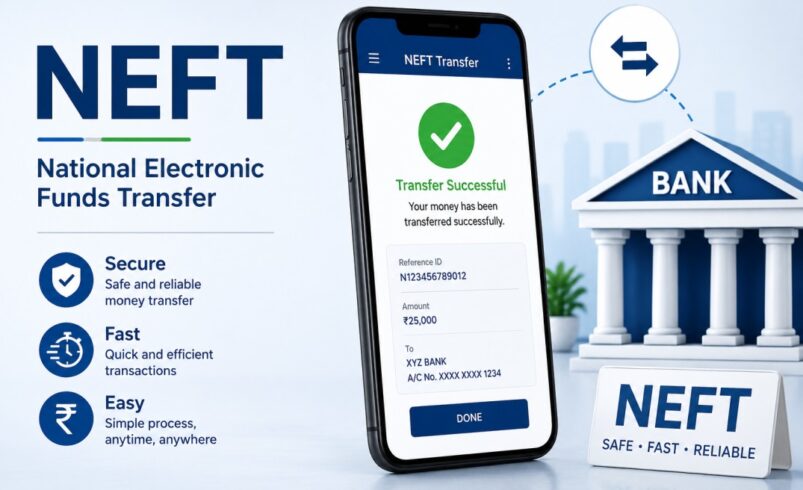
NEFT stands for National Electronic Funds Transfer, which is a payment system introduced by the Reserve Bank of India (RBI) to facilitate seamless online fund transfers between banks in India. Whether you need to pay monthly rent, settle vendor invoices, or clear utility bills, NEFT serves as a reliable and time-tested tool for managing such transactions. It allows you to transfer money anytime, anywhere, without having to visit your bank physically.
Bajaj Pay simplifies the NEFT fund transfer process by providing a user-friendly BBPS-enabled platform that can be accessed via the Bajaj Finserv App or the Bajaj Pay website. This certified platform ensures every NEFT transaction is secure and well-regulated under RBI guidelines. Unlike traditional banks, Bajaj Pay charges zero NEFT charges for all transactions, making it an economical option for customers. Users can perform various NEFT bill payment processes for rent, vendors, and utilities conveniently straight from their mobile phones or desktops.
Features of NEFT bill payments on Bajaj Pay
NEFT as a bill payment tool is made even more beneficial by Bajaj Pay’s advanced features, which offer seamless transactions and added value. Here are the key features:
Key Features
-
BBPS-certified and RBI-regulated platform: Bajaj Pay ensures maximum safety and protection as it operates under the guidelines of RBI and the Bharat Bill Payment System (BBPS).
-
Zero fees and zero convenience charges: No additional fees or hidden charges make your rent, vendor, or utility NEFT transactions completely cost-effective.
-
Accessible anytime, anywhere: Use Bajaj Pay conveniently via the Bajaj Finserv App or Bajaj Pay website for round-the-clock access.
-
Multiple payment modes: Pay bills through various options, including UPI, net banking, debit cards, or credit cards.
-
Instant payment confirmation: Every NEFT fund transfer is accompanied by real-time payment confirmation and a downloadable digital receipt.
-
Seamless bill management: With Bajaj Pay, you can pay bills for a wide range of service providers and manage everything in one place.
-
Auto-pay feature: Never miss your recurring payments, including rent, utility bills, or vendor dues, by using the auto-pay feature.
-
User-friendly platform: Bajaj Pay is designed with an easy-to-use interface, making it suitable for all types of users, whether tech-savvy or not.
Top 5 services for NEFT bill payment on Bajaj Pay
Bajaj Pay facilitates NEFT for a variety of payments. Here are the top five services where NEFT can be effectively used:
Services
Rent payments
-
Regular rent transfers are made exceptionally easy with NEFT.
-
Payments can be scheduled in advance through the auto-pay feature.
-
Nationwide accessibility ensures timely deposits to landlords’ accounts.
Utility bills
-
Pay electricity, water, gas, and telecom bills seamlessly using NEFT.
-
Instant confirmation ensures uninterrupted service.
-
Manage utility bill payments for multiple providers in one place.
Vendor payments
-
Facilitate business transactions with NEFT fund transfer to suppliers.
-
Ensure prompt and accurate payments to avoid supply chain delays.
-
Perfect for small business owners managing recurring vendor dues.
Loan repayments
-
Use NEFT to pay EMIs or settle any outstanding loan amounts.
-
Zero NEFT charges ensure cost-effective loan management.
-
Instant confirmation offers transparency and peace of mind.
Educational fee payments
-
Parents can utilize NEFT to conveniently pay school or tuition fees.
-
Zero convenience charges for parents and students alike.
-
Payments are processed quickly, preventing any penalties.
Things to keep in mind before paying bills via NEFT
To ensure a smooth NEFT bill payment experience on Bajaj Pay, here are some helpful tips:
Important Tips
-
Have the correct details handy: Ensure you have all required information like IFSC code, account number, or registered mobile number before starting the transaction.
-
Verify payment details: Double-check the biller or recipient’s account details before initiating the NEFT transaction.
-
Take payment deadlines seriously: Pay utility bills or rent payments on time to avoid fines, penalties, or service interruptions.
-
Set up auto-pay for repetitive payments: Save effort and avoid late payments by enabling auto-pay for recurring expenses.
-
Explore offers and rewards: Check the Offers section on Bajaj Pay regularly to enjoy cashback offers or loyalty rewards for your payments.
-
Ensure stable internet connectivity: Poor connectivity can lead to incomplete transactions; ensure you have a reliable internet connection.
-
Save digital receipts: Keep a copy of your payment receipt for reference in case of any future disputes.
Benefits of paying through Bajaj Pay
Bajaj Pay offers numerous benefits for users making NEFT transactions for rent, vendor, and utility payments.
Key Benefits
-
Zero fees and charges: Every payment transaction completed via Bajaj Pay is entirely free of additional costs. No handling charges or hidden convenience fees are added to the bill.
-
Rewards and offers: Users can earn loyalty rewards, cashback, and access exclusive partner deals through the Bajaj Pay Offers section.
-
Secure and trusted platform: Bajaj Pay is BBPS-certified and backed by Bajaj Finserv’s robust financial infrastructure. All transactions are encrypted to ensure your data is safe and secure.
-
One-stop solution for all payments: Whether it’s rent, utility bills, FASTag recharge, or money transfers, Bajaj Pay allows you to do it all from one platform with ease.
-
Quick and instant confirmations: Every NEFT transaction is processed with instant confirmation messages and downloadable receipts, offering better control over payment tracking.
How to pay bills using the Bajaj Finserv App
Paying bills through Bajaj Pay’s NEFT option is simple and user-friendly. Follow these easy steps:
Step-by-Step Process
Step 1
Open the Bajaj Finserv App on your smartphone or visit the Bajaj Pay website.
Step 2
Log in with your registered mobile number or sign up for a new account if you are a first-time user.
Step 3
Navigate to the ‘Bill Payments’ option on the home screen of the app or the website.
Step 4
Select your desired biller, e.g., landlord, utility provider, or vendor, from the available list on the platform.
Step 5
Enter the necessary details, such as the payee’s account number, IFSC code, and the payment amount.
Step 6
Choose your preferred payment method, such as UPI, net banking, or debit/credit card.
Step 7
Confirm your NEFT transaction and save or share the digital receipt as proof of payment.
Conclusion
NEFT remains one of India’s most reliable methods for conducting secure and seamless online money transfers. Whether you’re paying rent, clearing vendor invoices, or settling utility dues, Bajaj Pay enhances the NEFT experience with its BBPS-certified, zero-charge, and user-friendly platform. With instant payment confirmations, a wide network of billers, and multiple payment options, Bajaj Pay ensures you save time, money, and effort. Experience the convenience of paying bills with no fees, added security, and exclusive rewards by using the Bajaj Finserv App or visiting the Bajaj Pay website today!