


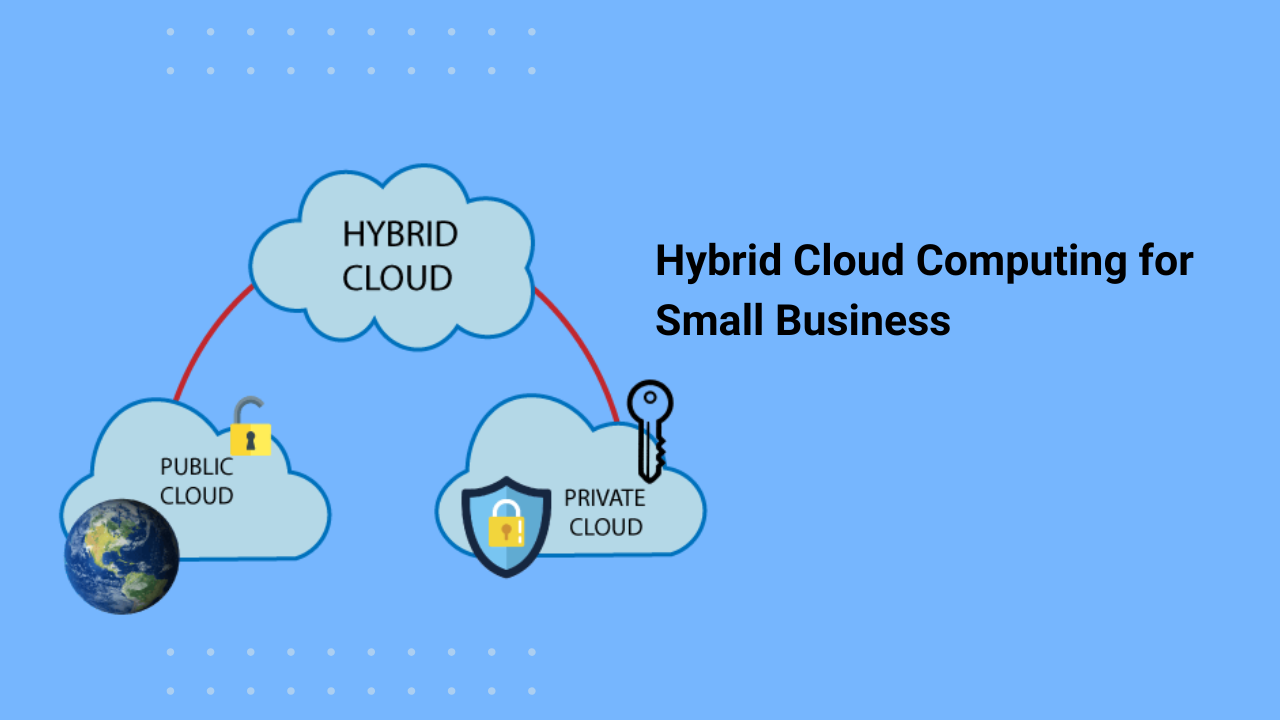



Small businesses have more choices for running their technology than ever. You can keep servers in an office, move applications to the cloud, or use a mix of both. For some companies, that mix makes sense. That’s where hybrid cloud computing for small business comes in.
A hybrid cloud combines private infrastructure with public cloud services. It allows a company to keep certain applications or data in a private environment while using public cloud resources for other workloads.
The idea sounds technical, but the reason for using it is fairly simple: different parts of a business can have different technology requirements.
A small retailer, for example, might keep its inventory database in a controlled environment while using public cloud infrastructure for its online store. A professional services firm might keep certain client records on private infrastructure and run other business applications through the cloud. The setup depends on the company, its applications, and the type of information it handles.
What is hybrid cloud computing?
Hybrid cloud computing brings together private and public cloud environments.
A private environment is dedicated to one organization. It can consist of physical servers owned by the company or private infrastructure managed by a hosting provider.
A public cloud uses infrastructure provided by companies such as Amazon Web Services, Microsoft Azure, or Google Cloud. Businesses can rent computing, storage, databases, and other resources as they need them.
In a hybrid setup, these environments are connected so they can work together.
For example, a company could keep its customer database in a private environment while running its website through a public cloud platform. The website can communicate with the database when it needs customer or product information.
This arrangement gives businesses a way to decide where individual workloads should run.
Why are small businesses considering hybrid cloud?
Technology requirements change as a company grows.
A business might start with a basic website and a few applications. A few years later, it may have customer databases, internal software, online sales systems, large amounts of business data, and applications that need more computing resources.
Moving everything into one environment isn’t always practical.
Some applications may already depend on existing infrastructure. Certain data may need additional controls. Other workloads may benefit from the flexibility of public cloud services.
Hybrid cloud gives businesses another way to organize these systems.
It can also make a gradual move to cloud computing possible. A company doesn’t necessarily have to move every application at once.
Benefits of hybrid cloud computing for small business
1. More control over sensitive information
Businesses handle information that shouldn’t be treated like ordinary files.
Customer records, financial information, employee details, and business data can require tighter access controls.
A hybrid cloud setup allows a company to keep selected information in a private environment while placing other workloads in the public cloud.
This gives the business more control over where certain data is stored and how it is accessed.
The approach can also help companies that have specific regulatory or contractual requirements for particular types of information.
2. Better use of existing infrastructure
Many small businesses already have servers and other IT equipment.
Replacing everything immediately can be expensive, especially when existing systems still perform their jobs well.
Hybrid cloud allows a company to continue using that infrastructure while adding public cloud services where they are useful.
A business might keep an existing application on its current server and use cloud storage for backups. Another company might keep a database locally while hosting its customer-facing application in the cloud.
The business can make changes gradually instead of replacing its entire setup at once.
3. Access to additional computing resources
Demand can change quickly.
An online retailer might have normal traffic during most months but see a large increase during holiday sales. A company running data-heavy applications might also need more computing power at certain times.
Public cloud services can provide additional resources when demand increases.
That can be useful for small businesses that don’t want to purchase enough physical hardware to handle their busiest periods all year.
The cost still needs to be monitored, since cloud usage can increase quickly when resources aren’t managed properly.
4. Flexible application placement
Every application has different requirements.
An older business application may work well on an existing server. A newer web application might be better suited to cloud infrastructure.
With hybrid cloud computing, businesses can place workloads where they make practical sense.
This can also help development teams. For example, a company could maintain its production database in a private environment while using public cloud resources for development and testing.
The exact arrangement depends on the application’s architecture and the company’s technical requirements.
5. Support for backup and recovery
Cloud infrastructure can play a role in a company’s backup strategy.
A business could keep its primary systems in a private environment and store backup copies in cloud storage. If the main infrastructure experiences a hardware problem, the cloud backup can provide another source for recovery.
The important part is testing the recovery process.
A backup that has never been tested shouldn’t be treated as a complete recovery plan. Businesses need to know what data is backed up, how long recovery takes, and who is responsible for restoring systems.
Hybrid cloud vs public cloud
Public cloud computing is often a good starting point for small businesses.
It’s generally easier to begin with because the cloud provider manages the underlying infrastructure. Businesses can use cloud services without purchasing and maintaining all of the physical hardware themselves.
Hybrid cloud introduces another layer of management because the business is working across private and public environments.
The choice depends on the company’s needs.
| Factor | Public cloud | Hybrid cloud |
|---|---|---|
| Infrastructure | Public cloud provider | Private and public environments |
| Hardware investment | Usually lower | May require private infrastructure |
| Data placement | Primarily cloud-based | Split between private and public environments |
| Management | Simpler | More involved |
| Workload flexibility | High | High, with more control over placement |
| Best suited for | Businesses with cloud-based workloads | Businesses with mixed infrastructure needs |
A small business shouldn’t choose hybrid cloud simply because it sounds like a more advanced setup.
There should be a practical reason for using it.
What does a hybrid cloud setup require?
A hybrid environment needs reliable communication between its private and public components. Networking is one part of that setup. Security controls, identity management, encryption, monitoring, backups, and access policies also need to be considered.
Businesses should decide which systems belong in each environment before moving workloads around. For example, a company might use:
- Private infrastructure for sensitive databases
- Public cloud infrastructure for a website
- Cloud storage for backups
- Existing servers for older applications
- Public cloud resources for development and testing
These decisions should come from the company’s actual requirements. A small business doesn’t need to move every workload into a hybrid environment just because it can.
What are the challenges?
Hybrid cloud computing adds flexibility, but it also adds management work. A small business may have to monitor multiple environments, manage network connections, maintain access policies, track cloud usage, and keep private infrastructure running.
That can be difficult for a company without dedicated IT staff. Costs also require attention. Cloud services are typically billed according to usage, and expenses can come from computing resources, storage, network traffic, databases, and other services.
A monthly review of cloud usage can help identify resources that are no longer needed. There can also be technical issues when applications depend on systems in different environments. Network problems or configuration mistakes can affect communication between them.
Planning and documentation become especially important as the environment grows.
How can a small business get started?
Start with the workloads you already have.
Make a list of your applications, databases, files, and other important systems. For each one, consider where it currently runs and what requirements it has.
Then decide whether there is a clear reason to keep a workload in a private environment.
If an application works well in the public cloud and doesn’t require private infrastructure, moving it may be relatively simple.
For systems that need private infrastructure, identify what information needs to move between environments and how that connection will be secured.
Don’t move everything at once.
A small pilot project can reveal network, security, performance, and cost issues before the setup becomes part of your daily operations.